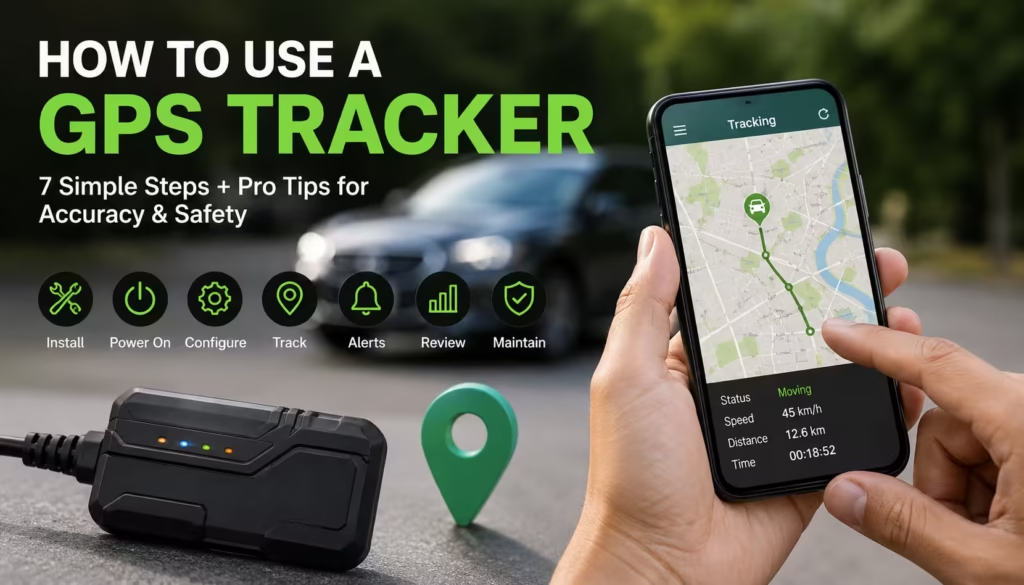

Master How to Use a GPS Tracker the Right Way
GPS trackers have become essential tools for safety, fitness, pet monitoring, and vehicle security. But here’s the reality most beginners don’t use them correctly.
Poor setup, wrong placement, and misunderstood features often lead to inaccurate tracking and frustration.
This upgraded guide goes beyond basics. You’ll learn how to use a GPS tracker properly, avoid common mistakes, and optimize it like a pro all in a clear, step-by-step system designed for both users and search engines.
New users can save money by choosing one of these affordable GPS trackers under $100, which balance accuracy, battery life, and ease of use.

What Is a GPS Tracker and How Does It Work?
A GPS tracker is a device that determines location using satellite signals and transmits that data to your smartphone or computer.
Key Components:
- GPS receiver – Captures satellite signals
- Connectivity module (SIM/Wi-Fi) – Sends location data
- Software/app interface – Displays real-time tracking
A GPS tracker works by receiving satellite signals and sending your location data to an app where you can monitor it in real time.
Serious players and coaches can benefit from modern football GPS tracking devices that provide real-time performance insights during training sessions.
Step-by-Step Guide: How to Use a GPS Tracker Effectively
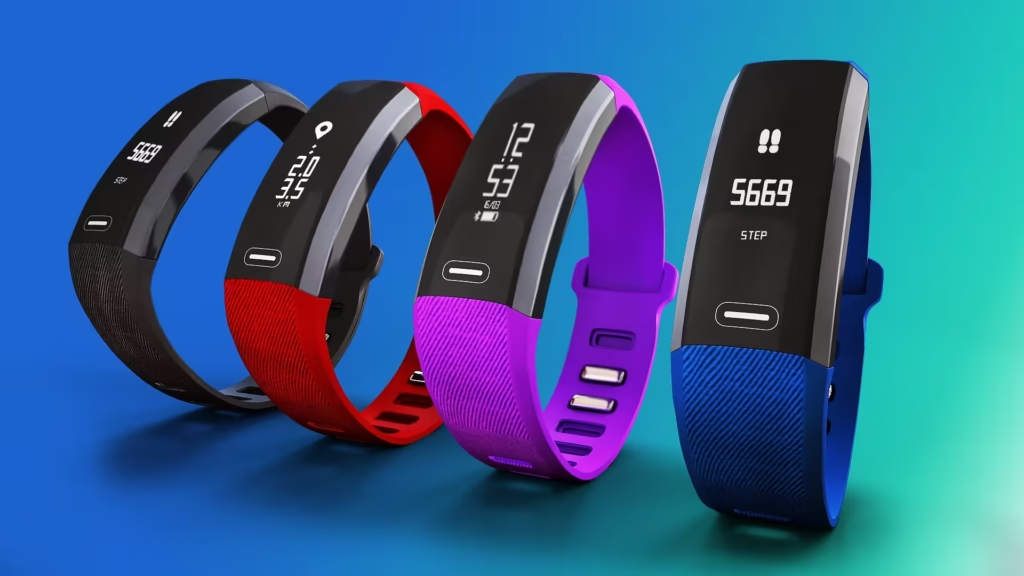
Step 1: Choose the Right Device Before You Use a GPS Tracker
Selecting the right tracker is critical for performance.
Best options based on use case:
- Pets → Lightweight, waterproof trackers
- Vehicles → Hardwired or magnetic trackers
- Personal safety → Compact wearable devices
Key features to prioritize:
- Real-time tracking
- Long battery life
- Geo-fencing alerts
- App compatibility
Step 2: Charge and Activate Before You Use a GPS Tracker
Before setup:
- Fully charge the device (2–4 hours recommended)
- Insert SIM card if required
- Power it on
Pro Insight:
Starting with a full battery ensures stable initial configuration and prevents sync issues.
Step 3: Install the App to Use a GPS Tracker Correctly
Every modern tracker requires an app.
Setup process:
- Download official app only
- Register your account
- Verify email/phone
Security Tip:
Avoid third-party apps—they can compromise your tracking data.
Step 4: Connect and Sync to Use a GPS Tracker Seamlessly
To properly use a GPS tracker:
- Scan QR code or enter device ID
- Pair via Bluetooth or network
- Confirm successful connection
Troubleshooting:
- Restart both devices
- Ensure location services are enabled
Step 5: Configure Settings to Use a GPS Tracker Efficiently
Proper configuration improves accuracy and usability.
Enable these features:
- Real-time tracking updates
- Location history logs
- Battery alerts
Optimization Tip:
Adjust update frequency to balance accuracy and battery life.
Step 6: Use Geo-Fencing When You Use a GPS Tracker for Smart Alerts
Geo-fencing is one of the most powerful features.
How it works:
You set a virtual boundary, and the tracker alerts you when it’s crossed.
Best use cases:
- Pets leaving your yard
- Kids arriving at school
- Vehicles exiting a defined zone
Step 7: Monitor and Maintain After You Use a GPS Tracker
Ongoing maintenance ensures reliability.
Best practices:
- Check battery weekly
- Update firmware regularly
- Review tracking history
Common Mistakes When Learning How to Use a GPS Tracker
Avoid these beginner errors:
- Placing the tracker under metal surfaces (blocks signal)
- Ignoring app permissions
- Not updating firmware
- Using low-quality SIM cards
- Setting update frequency too high (drains battery)
Quick Fix Of How to use GPS tracker :
Always test your tracker in an open outdoor space after setup.
Advanced Tips to Use a GPS Tracker More Accurately
Improve Signal Strength
- Place the device facing the sky
- Avoid enclosed or underground areas
Optimize Battery Life
- Use interval tracking instead of continuous tracking
- Turn off unused features
Increase Tracking Precision
- Use trackers with multi-GNSS support (GPS + GLONASS)
- Enable high-accuracy mode in app settings
Practical Use Cases for Everyday Tracking
For Dog Owners
- Track dogs during outdoor training
- Prevent loss during off-leash activities
For Fitness Users
- Monitor routes, distance, and pace
- Improve training consistency
For Vehicle Owners
- Track movement in real time
- Reduce theft risk
Safety and Privacy While You Use a GPS Tracker
Security is often overlooked but essential.
Best practices:
- Use strong passwords
- Enable two-factor authentication
- Avoid sharing tracking access publicly
Before investing in a smartwatch, explore these simple methods to measure running distance using everyday tools and free resources.
FAQ: How to Use a GPS Tracker
How do I use a GPS tracker for the first time?
Charge the device, install the app, connect it, and enable tracking features. Setup usually takes under 15 minutes.
Do GPS trackers work without internet?
They receive location via satellites but require internet (SIM/Wi-Fi) to transmit data.
How accurate is a GPS tracker?
Most devices provide accuracy within 5–10 meters in open environments.
Can I use a GPS tracker for my dog?
Yes, pet-specific trackers are designed for comfort and include features like geo-fencing and activity tracking.
How can I improve GPS tracking accuracy?
Place the tracker in open areas, avoid obstructions, and enable high-accuracy settings.
Final Thoughts: How to Use a GPS Tracker Like a Pro
Now you fully understand how to use a GPS tracker, not just the basics, but the strategies that make it truly effective.
The difference between average and excellent tracking comes down to:
- Proper setup
- Smart configuration
- Ongoing optimization
Start simple, refine your setup, and you’ll get reliable, accurate tracking every time.
Next Step:
Set up your GPS tracker today and test it outdoors you’ll instantly see the difference when done correctly.
Learn how to use GPS tracker more here. Regularly tracking your running distance can help you improve endurance and maintain a consistent training routine, as recommended by the CDC Physical Activity Guidelines.